
Commenting submissions
- Equipe Produit

- 3 days ago
- 2 min read
Daxium-Air offers the possibility of commenting submissions, allowing your teams to exchange on the data they report. It's particularly useful for asking for details about a certain submission, before being able to validate it for instance
Commenting on the web
The comment feature is available on every submission, regardless of from which view (table, gallery, map, calendar, etc...) you are accessing it.
The comment feature is also available on both our submissions layout: standard & summary layouts


Reading & writing comments
Upon clicking on the comments button, a side menu appears with the comment section. Our comment feature allows you to
Write a comment, and format it with markdown (Bold, Italic, Underline, Bullet & Numbered lists, URLs)
Reply to a comment (the replies are collapsible & expandable)
Delete a comment
Edit a comment (it will have the "Edited" mention afterwards)
Reorder comments from oldest to newest or the other way around.

Receiving notifications
The feature also includes a notification system. Each time a comment is added to a submission you are assigned to, you will get a notification. The notification will be available on the bell on the top right of your screen. Clicking on the link will lead you to the comment.

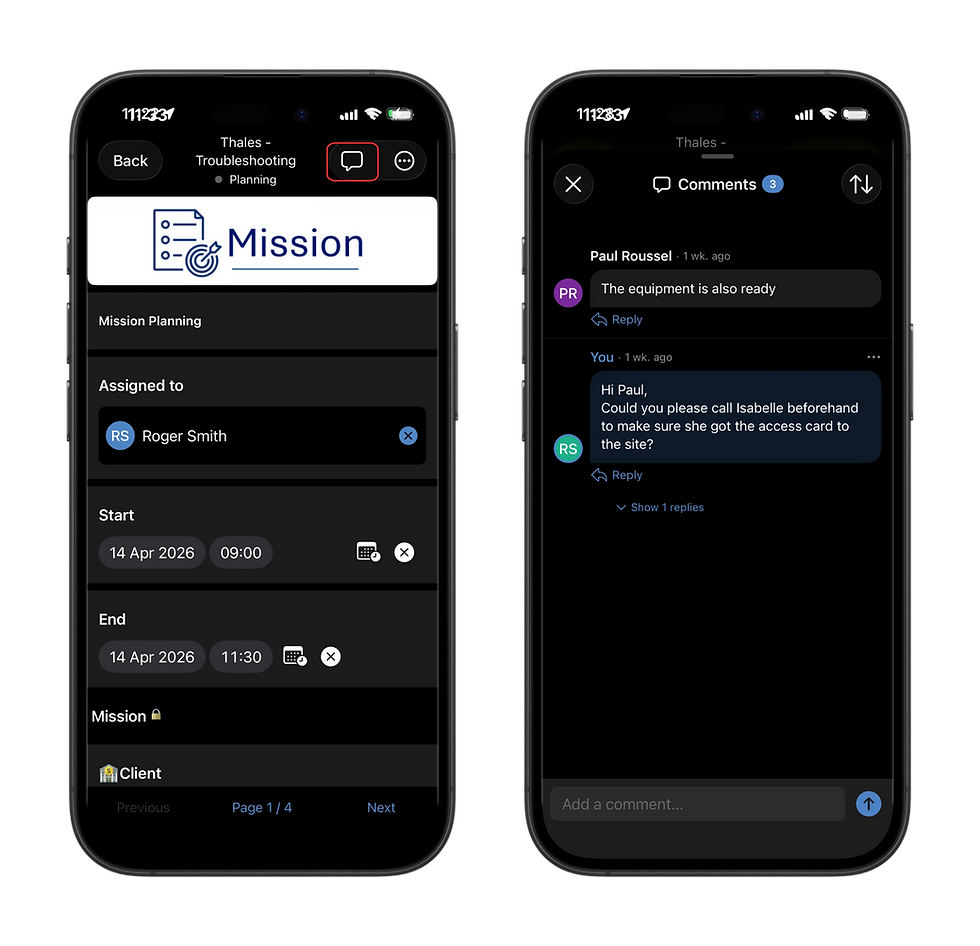
Commenting on the mobile
The exact same features are also available on our mobile platforms, both Android & iOS. The notifications will be sent by the standard push system, like any other Daxium-Air mobile notifications
Limitations
There are some limitations to our comments feature
A submission is limited to 50 comments
Each comment is limited to 1,000 characters
You can't upload attachments in the comments
You can't tag a user for him to be notified
You can't import or export comments

