> For the complete documentation index, see [llms.txt](https://www.center.daxium-air.com/llms.txt). Markdown versions of documentation pages are available by appending `.md` to page URLs; this page is available as [Markdown](https://www.center.daxium-air.com/user-documentation/documentation-utilisateur/start/login-and-app-download.md).
# Connexion et téléchargement de l'application
Connectez-vous à la plateforme web Daxium-Air et installez l'application mobile.
## Connexion
Vous pouvez accéder à Daxium-Air en saisissant [www.daxium-air.com](http://www.daxium-air.com/) dans votre navigateur :

Après avoir saisi votre identifiant et votre mot de passe, vous arrivez sur la page d'accueil.

Le menu contextuel à gauche vous permet de naviguer entre les différentes fonctionnalités :
* **Accueil** redirige vers la page visible ci-dessus
* **Fiches** permet de gérer les fiches complétées par les utilisateurs
* **Tâches** permet de gérer les tâches des utilisateurs
* **Aide** donne accès à la documentation en ligne
{% hint style="info" %}
Vous avez oublié votre mot de passe ? Consultez [Réinitialisation du mot de passe](/user-documentation/documentation-utilisateur/support/supporting-your-users/password-reset.md).
{% endhint %}
## Installer l'application mobile
Lors de sa première connexion à l'application mobile, chaque utilisateur sera invité à définir un code PIN personnel. Ce code PIN est utile lorsque plusieurs utilisateurs partagent le même appareil : plutôt que de saisir l'intégralité de leurs identifiants à chaque fois qu'ils doivent se reconnecter sur l'appareil partagé, ils peuvent simplement saisir leur code PIN personnel.
{% tabs %}
{% tab title="Android" icon="android" %}
#### Télécharger l'application
Vous pouvez télécharger l'application Daxium-Air sur le Play Store [ici](https://play.google.com/store/apps/details?id=com.daxium.air.v2\&hl=fr)
#### Se connecter à l'application
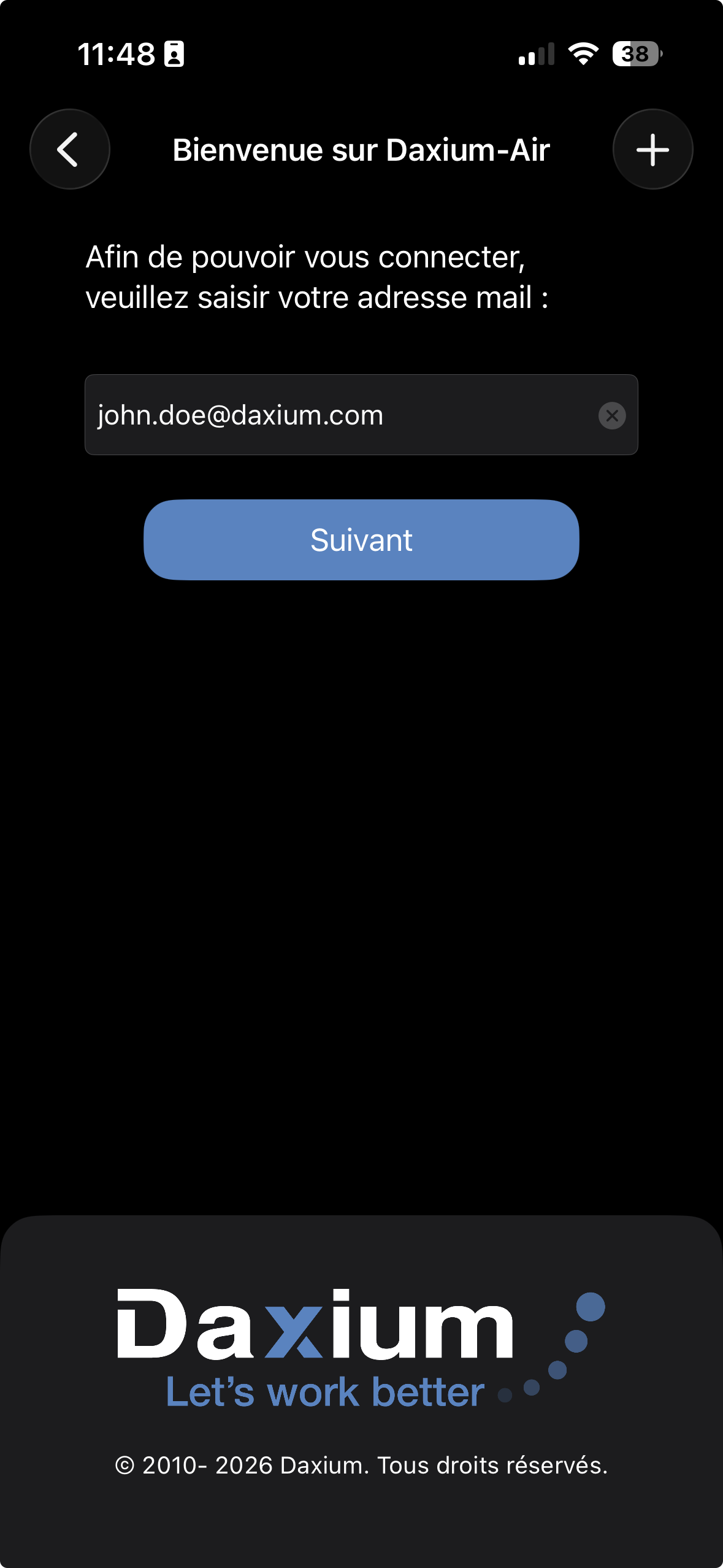
Étape 1 — Entrez votre email
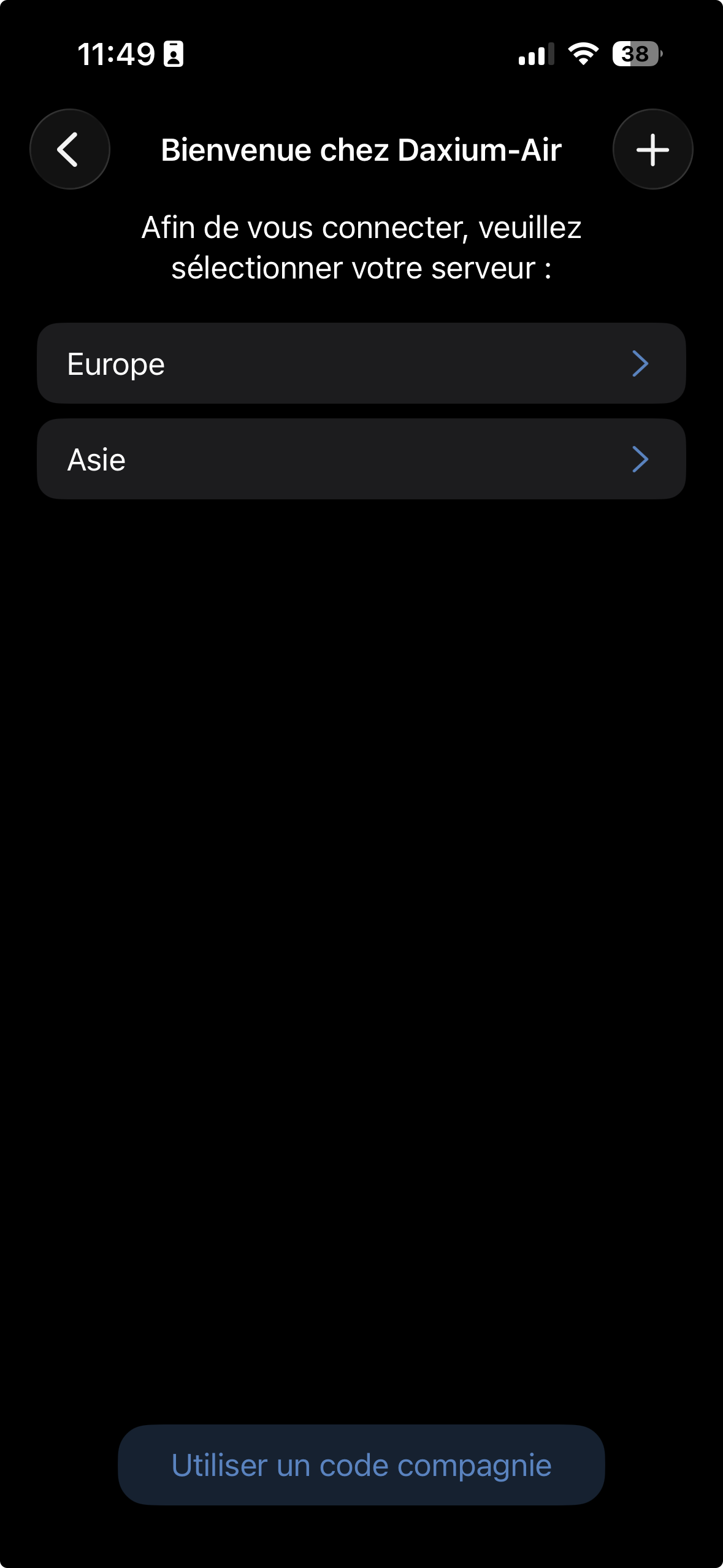
Étape 2 — Choisissez votre serveur
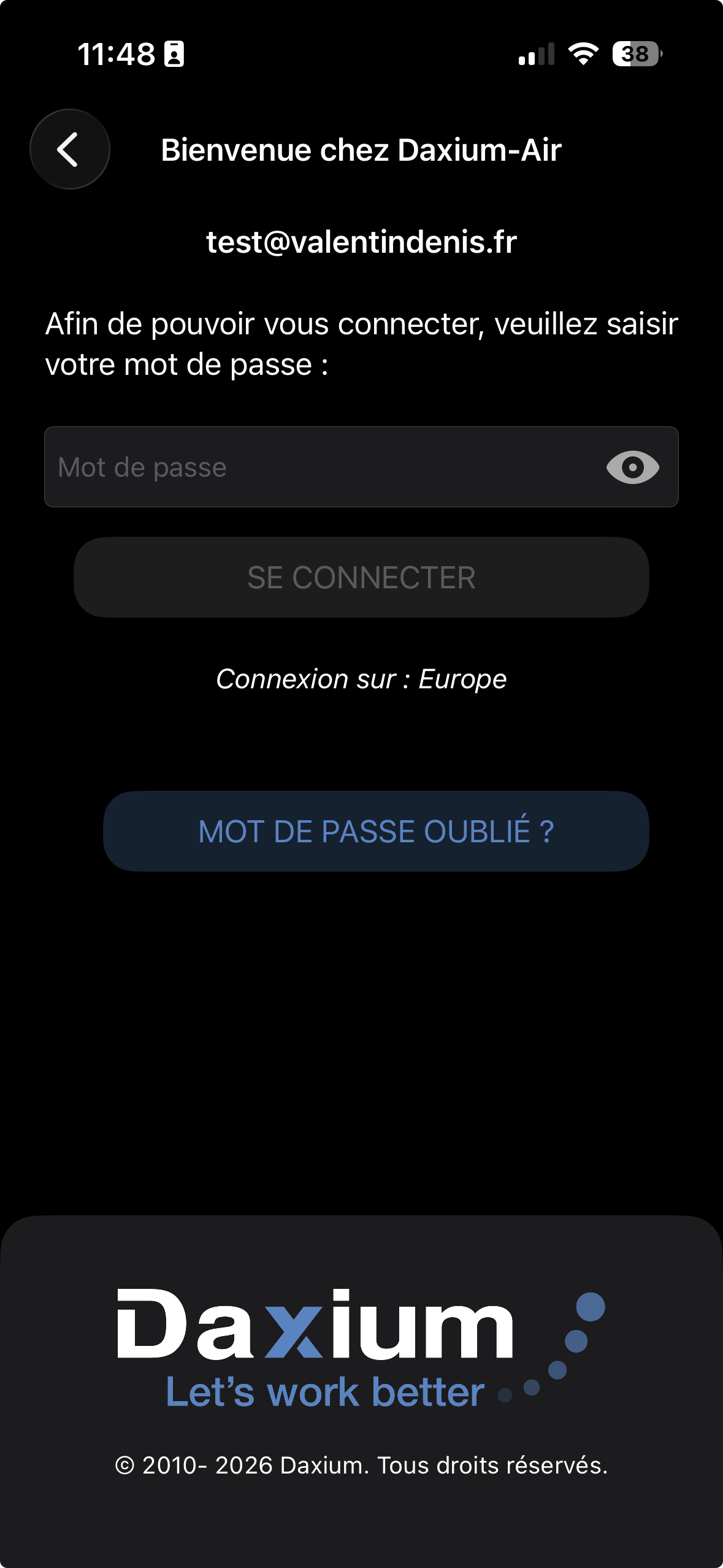
Étape 3 — Entrez votre mot de passe
Étape 4 — Choisissez un code personnel à 4 chiffres
{% endtab %}
{% tab title="iOS" icon="apple" %}
#### Télécharger l'application
Vous pouvez télécharger l'application Daxium-Air sur l'App Store [ici](https://apps.apple.com/fr/app/daxium-air/id1577952851)
#### Se connecter à l'application
Étape 1 — Entrez votre email
Étape 2 — Choisissez votre serveur
Étape 3 — Entrez votre mot de passe
Étape 4 — Choisissez un code personnel à 4 chiffres
{% endtab %}
{% endtabs %}
---
# Agent Instructions
This documentation is published with GitBook. GitBook is the documentation platform designed so that both humans and AI agents can read, navigate, and reason over technical content effectively. Learn more at gitbook.com.
## Querying This Documentation
If you need additional information that is not directly available in this page, you can query the documentation dynamically by asking a question.
Perform an HTTP GET request on the current page URL with the `ask` query parameter, and the optional `goal` query parameter:
```
GET https://www.center.daxium-air.com/user-documentation/documentation-utilisateur/start/login-and-app-download.md?ask=&goal=
```
`ask` is the immediate question: it should be specific, self-contained, and written in natural language.
`goal` is optional and describes the broader end goal you are ultimately trying to accomplish on behalf of the user. GitBook uses it to tailor the answer towards what is most useful for that goal.
The response will contain a direct answer to the question and relevant excerpts and sources from the documentation.
Use this mechanism when the answer is not explicitly present in the current page, you need clarification or additional context, or you want to retrieve related documentation sections.
.png?alt=media)
.png?alt=media)
.png?alt=media)